Every "best gaming mouse under ₹1000" search in India right now lands you on the same three places: an Amazon category page, a Reddit thread from two years ago, or a brand's own storefront. None of them compare DPI, polling rate and wireless latency side by side, which is exactly what decides whether a sub-₹1000 mouse feels sharp in Valorant or just feels cheap. We didn't run these six through a lab. What follows is a spec-and-price comparison built from the numbers each brand actually publishes, checked against current Amazon.in and Flipkart listings, so you can pick the right one without reading four browser tabs.
Best Gaming Mouse Under ₹1000 in India: 6 Picks Compared
DPI numbers on the box don't tell you much. Polling rate and connection type do. Here's how to actually pick a sub-₹1000 gaming mouse in India.
How we picked (DPI, polling rate, latency, build)
Four things separate a genuinely usable budget gaming mouse from a rebadged office mouse with RGB glued on.
- DPI (dots per inch): a higher number means the cursor moves further per inch of physical mouse travel. Past 3200 DPI it mostly matters for bragging rights on the box; what matters more is whether the sensor tracks cleanly at the DPI you'll actually use, usually 800–1600 for FPS games.
- Polling rate: how often the mouse reports its position to your PC. 1000Hz (once a millisecond) is the practical target. Anything at 125Hz will feel noticeably laggier in fast games, even if the DPI number on the box looks impressive.
- Latency and connection type: wired beats Bluetooth beats nothing at all. A 2.4GHz wireless dongle, like the one bundled with Kreo Hawk, sits close to wired latency; Bluetooth-only budget mice add a real, felt delay.
- Build: switch durability and shell weight matter more at this price than anywhere else, because the corners a brand cuts to hit ₹999 usually show up first in the click feel and the coating.
We leaned on published spec sheets from Logitech, Razer, Zebronics, Redragon, Kreo and EvoFox, cross-checked against current street prices. This isn't a hands-on review; treat it as the spec comparison the existing Reddit and YouTube round-ups skip.
Best overall under ₹1000: Logitech G102 LightSync
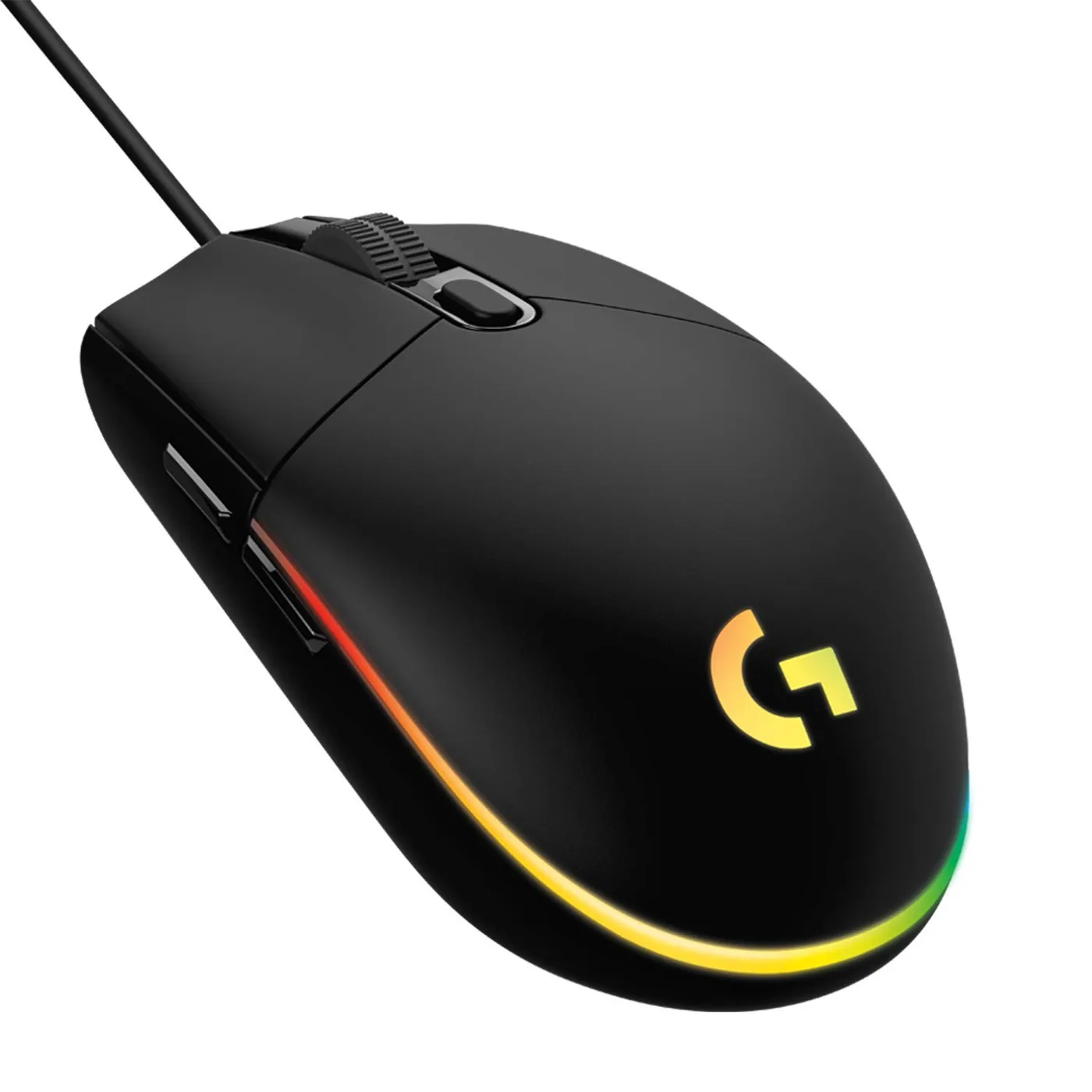
The G102 LightSync has been the default answer on every gaming forum for years, and the spec sheet explains why. An 8000 DPI optical sensor, genuine 1000Hz polling, six programmable buttons and Logitech's LIGHTSYNC RGB, all wired, all for a street price that usually sits between ₹799 and ₹999 depending on the sale. Logitech's after-sales network in India is also the widest of any brand on this list, which counts for more than it sounds like once you're outside a metro and something needs replacing under warranty.
The G102 LightSync isn't the most exciting mouse on this list. It's the one you buy when you want to stop thinking about your mouse.
Best wireless pick: Kreo Hawk
Wireless under ₹1000 usually means a compromise somewhere, and Kreo Hawk's compromise is a smaller brand footprint, not the connection itself. It uses a 2.4GHz wireless dongle rather than Bluetooth, which is the detail that actually matters: 2.4GHz keeps latency close to a wired connection, where Bluetooth-only budget mice add a lag you'll feel in anything fast-paced. If cable drag on your mousepad is the problem you're solving, this is the pick, priced in the ₹799–999 band depending on the retailer.
Best wired pick: Zebronics Blanc Slim
Zebronics doesn't compete on sensor specs, and the Blanc Slim doesn't try to. What it gets right is weight and price: a shell under 70g, a wired connection with no latency guesswork, and a street price usually under ₹500. That's the lowest entry point on this list by a wide margin. It won't match the DPI ceiling of the Logitech or Razer picks, but for casual play or a second desk, it's hard to argue with the price, and Zebronics' service network across smaller Indian cities is genuinely useful if something goes wrong.
Best for competitive FPS: Razer DeathAdder Essential
The DeathAdder shape is the one thing Razer got right decades ago and never needed to change: a right-handed ergonomic curve that a large chunk of competitive FPS players, professional and otherwise, grew up gripping. The Essential trims the flagship's sensor down to keep the price under ₹1000, but it keeps 1000Hz polling and the shape, which at this price bracket matters more than another thousand DPI you'll never use. Wired only, which is the right call for anyone chasing lowest latency over convenience.
The value alternatives: Redragon Centrophorus M601 and EvoFox Blaze Ultra
Two more names worth knowing if the picks above don't fit your grip or budget. The Redragon Centrophorus M601 leans into extra buttons and a claimed 7200 DPI sensor, aimed at readers who want more binds to remap rather than a marginal sensor upgrade, usually priced ₹799–899. The EvoFox Blaze Ultra goes the other direction: a featherweight wired shell built for flick-aim shooters, and it usually undercuts most of this list on price, sitting around ₹599–799. Neither replaces the top four picks outright, but both are legitimate answers depending on what you're optimising for.
Comparison table
| Mouse | Connection | Max DPI | Polling rate | Weight (approx) | Street price |
|---|---|---|---|---|---|
| Logitech G102 LightSync | Wired | 8000 | 1000Hz | ~85g | ₹799–999 |
| Razer DeathAdder Essential | Wired | 6400 | 1000Hz | ~96g | ₹899–999 |
| Kreo Hawk | Wireless (2.4GHz) | ~6400 | Up to 1000Hz | ~90g | ₹799–999 |
| Zebronics Blanc Slim | Wired | ~3200 | Standard | ~65g | ₹399–499 |
| Redragon Centrophorus M601 | Wired | ~7200 | Up to 1000Hz | ~95g | ₹799–899 |
| EvoFox Blaze Ultra | Wired | ~7200 | Up to 1000Hz | Lightweight | ₹599–799 |
Prices above reflect Amazon.in and Flipkart listings at time of writing and move constantly with sales; treat them as a band, not a guarantee, and check the live listing before you buy.
What about a gaming keyboard and mouse combo under ₹1000?
Search interest for a keyboard-and-mouse combo under ₹1000 is real, but the honest answer is that most bundles at this price compromise hard on one half of the pair, usually the keyboard, to hit the number. You're generally better off buying one of the mice above on its own and pairing it with a separate budget membrane keyboard, rather than a bundled set where neither half is actually good. If a true combo is non-negotiable for your budget, Zebronics and Redragon both sell bundled sets, but expect the keyboard in the box to be the weaker half of the deal.
FAQs
Is a wired or wireless gaming mouse better under ₹1000?
Wired, if performance is the priority. Wireless at this price still involves a small trade-off, even with a 2.4GHz dongle instead of Bluetooth.
What polling rate should a budget gaming mouse have?
1000Hz. Anything lower will feel it in fast games, whatever the DPI number claims on the box.
Which gaming mouse under ₹1000 has the lowest latency for competitive games?
The wired picks, Logitech G102 LightSync and Razer DeathAdder Essential, edge out the wireless options here on pure latency.
Are Zebronics or Redragon mice good for gaming?
Yes, for casual and mid-level play, with the caveat that neither brand's sensor matches Logitech or Razer at the high end.